Multi-platform · macOS + Windows
VachaVox
Speak into your everyday apps. Keep speech processing on your computer.
One product. Two desktops.
Hold a key. Speak into any app.
Local voice dictation for Mac and Windows. Turn speech into text in the apps you already use, with desktop shortcuts and speech models that run on your computer.
- macOS
- Windows
- Local desktop app
Windows x64 preview · unsigned installer.
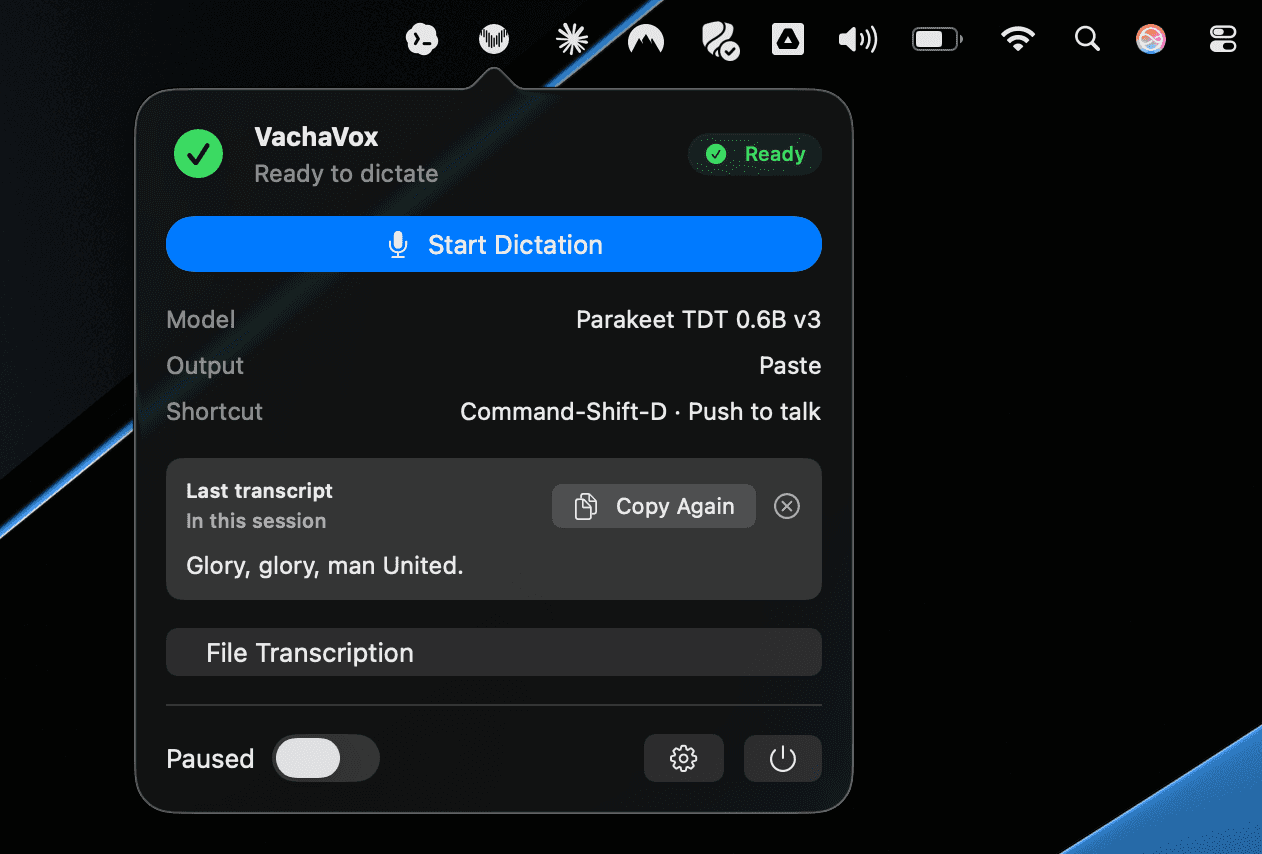
Choose a screenshot
The project in plain English
Why it matters
For People who prefer speaking to typing
The problem
Dictation can interrupt the task at hand or require sending audio to a cloud service.
My contribution
Built desktop editions for macOS and Windows: a shortcut captures speech, a local model turns it into text, and platform integrations deliver the result.
The value
Brings voice input into the apps people already use while keeping the core transcription workflow on the device.
- On-device AI
- Cross-platform integration
- Workflow design
Scope & limits. macOS and Windows use separate desktop implementations. The Windows edition is an unsigned preview with private source. Speech recognition is local; Windows text cleanup is optional and cloud cleanup requires explicit configuration. Review important transcripts.
One local workflow, platform-specific engines
Models & local processing
Both editions run speech recognition on your computer. Use the model format supported by your edition; language coverage, hardware needs, and transcription quality depend on the selected model.
macOS
Parakeet & Whisper / Core ML
Local model folders through FluidAudio and WhisperKit.
- Parakeet TDT v2 / v3 and CTC 110M Core ML options.
- WhisperKit choices from Tiny through Large v3 / Turbo, plus Distil-Whisper.
- Install compatible model folders separately, then select and load one in Settings → Models.
Windows
Whisper & native inference
The 0.1.2 preview bundles verified Whisper Base (English).
- Other catalog families include Whisper, Parakeet, Canary, Moonshine, SenseVoice, and GigaAM.
- A native inference worker and supported ONNX engines provide local recognition; backend support depends on the model and hardware.
- The Models screen handles selection and downloads. Start with the bundled English model before trying alternatives.
Optional Ollama text cleanup is a separate step, not the speech model. Cloud cleanup requires explicit configuration.
Shared outputs, useful platform extras
Modes
Both platforms · Paste
Frontmost app
Dictate directly where the cursor is.
Both platforms · Copy
Clipboard first
Use the transcript even when direct paste is unavailable.
macOS · Preview
Review text
Inspect the result before sending it on.
macOS · File
Markdown output
Transcribe audio files into local notes.
Windows · History
Revisit a transcript
Review saved transcripts and recordings, or copy the last result from the tray.
Windows · Optional
Text cleanup
Keep recognized text as the starting point. Optional cleanup is separate from the speech model and is off by default.
The differences that matter
Key facts
| Detail | macOS | Windows |
|---|---|---|
| Platform | macOS 14+ · menu-bar app | Windows x64 · tray app with WebView2 settings |
| Speech runtime | Local Core ML · FluidAudio / Parakeet and WhisperKit | Rust-managed native inference worker and supported in-process ONNX engines |
| First model | Install a compatible Parakeet or Whisper Core ML model folder; models are not bundled. | Whisper Base (English) is bundled with the preview installer. |
| Trigger | Hold Fn or a custom hotkey to dictate. | Ctrl + Space; hold to dictate, or tap to start and stop in hold-or-toggle mode. |
| Outputs | Paste, Copy, Preview, and audio-file transcription to Markdown. | Paste into the active app, copy to the clipboard, and review transcript History. |
| Saved work | Audio to Markdown · ~/vachavox/output. No automatic transcript History. | Local SQLite History and recording WAV files, managed in the app's profile. |
| Text cleanup | The documented workflow is local speech transcription and output delivery. | Optional and off by default. Local Ollama is the default target; cloud cleanup requires explicit configuration. |
| Release | v0.6.3 · Build 23 · ZIP app download | v0.1.2 · unsigned EXE preview · automatic updates disabled |
| License | MIT + Commons Clause; see the source license for commercial-use terms. | MIT with retained dependency and model notices. Windows source is currently private. |
Shared flow, separate desktop implementations
Diagrams
flowchart LR
  A["Shortcut + microphone"] --> B["Local speech model"]
  B --> C["Recognized text"]
  C --> D["Paste or copy into everyday apps"]
From download to everyday use
Quick start
macOS
macOS 14+ and a compatible local speech model.
- Download the macOS ZIP and open VachaVox.
- Install a compatible model folder; in Settings → Models, select and load it.
- Grant Microphone access. Grant Accessibility access if you want automatic Paste; Copy and Preview work without it.
- Focus the destination app, hold Fn or your custom shortcut, speak, and release.
- Choose Paste, Copy, or Preview. For an audio file, use file transcription to create a local Markdown document.
Windows
Windows x64. The installer includes the verified English model.
- Download and run the Windows setup EXE. It is an unsigned preview.
- Choose Whisper Base (English) during onboarding, then select an active microphone in Settings.
- Focus the destination app. Hold Ctrl + Space, wait for recording readiness, speak, and release; a tap can start or stop recording.
- Review the result in History, or copy the last transcript from the tray menu.
- Leave optional cleanup off to start. Configure a local Ollama provider if you want text cleanup.
Source & development
macOS
Swift · Core ML · FluidAudio · WhisperKit
git clone https://github.com/anujraja/VachaVox.git
cd VachaVox

swift build
swift test
Scripts/package_app.sh
Requires the Swift/Xcode toolchain. Models are installed separately; use the public model-installation guide for compatible folders.
Windows
Rust · Tauri 2 · React / TypeScript · native speech inference
# From the Windows source checkout
./scripts/Build-Windows.ps1
Windows source access is required. Maintainer builds use Rust, Bun, Visual C++ Build Tools, Windows SDK, CMake/Ninja, and Vulkan SDK. The public installer runs without this development setup.