Omarchy / Desktop plugin · open source
Omarchy ChatGPT Archive
Find and keep your ChatGPT work from a small panel on your Linux desktop.
The project in plain English
Why it matters
For Omarchy users who want readable, reusable copies of their AI conversations
The problem
Useful decisions, research, and drafts can be hard to reuse when they stay inside a long list of online chats.
My contribution
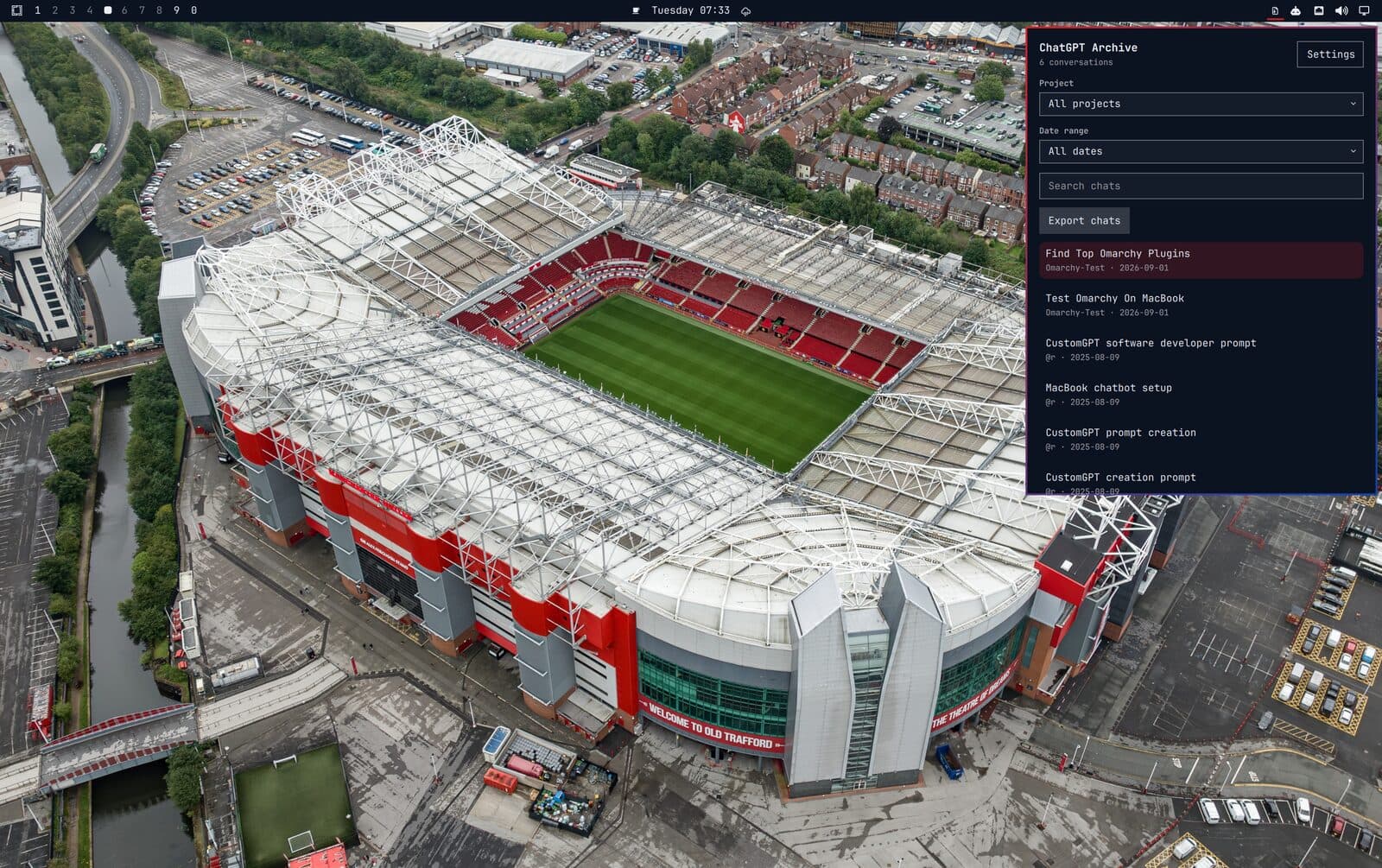
A desktop panel brings browser sign-in, project and date filters, export progress, and local Markdown files into one workflow.
The value
Turns chat history into working material you can open in an editor, organise locally, and revisit without repeating an export by hand.
- Desktop integration
- Workflow automation
- Product usability
Scope & limits. An independent Omarchy plugin, not an official OpenAI product. Export requires a valid signed-in session and depends on upstream behaviour. Scheduled runs operate on the local machine while logged in. The plugin runs with user permissions, and archived conversations can contain private information.
From problem to action
How someone uses it
Sign in and choose the scope
Export new or changed chats
Search, open, and reuse locally
What I built
- Pick a ChatGPT project and date range, then watch the export progress.
- Search the local conversation list by title and open a saved Markdown file in the editor.
- Skip unchanged conversations on later exports and schedule daily or weekly runs.
- Import an official ChatGPT ZIP export as another way to build the local archive.
For technical readers
Omarchy · Quickshell desktop panel · Python · systemd user timers
Use the source links above to inspect the implementation, setup, and documented limitations.